Clean cuts
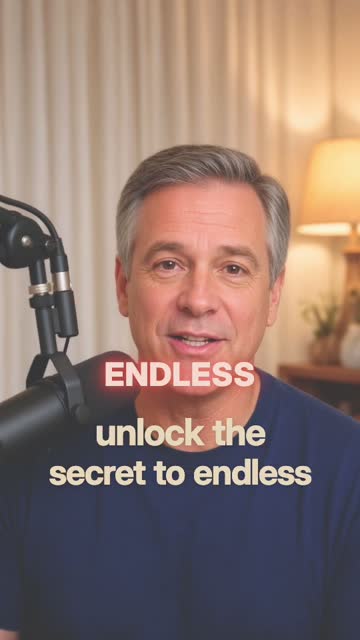
Auto trim takes out filler words, silences and retakes, and cuts only at natural pauses.
 VidAgent
Get early access
VidAgent
Get early access
AI video editor for Mac
Add your clips and say what you're making. VidAgent picks the best takes, cuts at natural pauses, and adds captions, freezes and B-roll. Then it renders the finished video right on your Mac.
How it works

 3 clips · 2:32
Drag videos from Finder or Photos onto VidAgent. It transcribes and studies them on your Mac.
"A 30 second short, hook first." Choose a look and a caption style, or let VidAgent decide.
Version 20:29 · shorter hook
Version 10:34
It renders on your Mac. Ask for changes in plain words, and every render is saved as a numbered version you can go back to.
An editor, not a timeline
Most AI editors run one filter over your video. VidAgent works like a human editor. It reads the transcript, picks the best take of each line, and cuts only where you actually pause. Then it watches its own render and fixes anything that looks wrong.
Kirkland vs Duracell
Styles
A video style sets the whole look: the cuts, the cards, the B-roll and the titles. Caption styles are word-by-word captions in today's popular looks, timed to what you say. Video styles → Caption styles →
Features
Auto trim takes out filler words, silences and retakes, and cuts only at natural pauses.
Made from what you say, timed to every word. Nothing to type, nothing to sync. AI captions →
Turns landscape footage into 9:16 for TikTok, Reels and Shorts, and keeps your face in the shot.
Pauses on the moment that matters, then circles or marks the right word on a label or a screen.
Cuts to your other clips, or finds product photos and images on the web to show what you're talking about.
Evens out your voice to the loudness social apps expect, adds sound effects, and keeps quiet moments quiet.
Each render is a numbered version. Compare them, chat about one, or go back with a tap.
"Make the hook shorter." "Use the second take." "More energy." Say it in plain words and it gets done.
Bring your own AI
Use the editor built into VidAgent, or connect the AI you already pay for and ask it to make your video. Either way, your Mac renders it.
Built in. Nothing else to install or connect.
Connect once, then ask Claude to make or change your video.
Same tools, same results, right inside ChatGPT.
Your projects are plain files on your Mac. Any AI tool can edit them, and VidAgent renders the change.
VidAgent studies and renders your videos on your Mac. The AI works from transcripts and the few frames it asks to see. It asks before it shares anything, and it never uploads your original clips. Read the privacy policy
Made for
Post every day without spending your evenings in a timeline.
Turn a quick walk-through of your shop or product into a polished short.
Clear, captioned lessons with key points on screen.
Walk-throughs with captions, highlights and clean, steady cuts.
Freeze on the label, circle the detail, make your point.
Your voice over B-roll and pictures, without showing your face.
FAQ
A Mac app that edits your videos for you. Add your clips, describe the video you want, and it makes it, with cuts, captions, freezes, highlights, B-roll and sound. You can keep changing it by chatting.
No. There's no timeline to learn. Say what you want in plain words, and pick a style if you like.
No. Your clips and finished videos stay on your Mac, and VidAgent renders there. To edit, the AI reads transcripts and project details and can ask for a few still frames. VidAgent asks your permission first, and you can turn sharing off at any time.
In the app, click Connect and follow the steps once. After that you can ask Claude or ChatGPT to make or change a video, and your Mac renders it. Claude Code and other AI tools on your Mac can also edit your projects directly.
Talking-head shorts, product reviews, lessons, personal stories, and voiceovers over B-roll. Vertical for TikTok, Reels and Shorts, or landscape for YouTube.
VidAgent needs macOS 26 or later.
No. VidAgent is a Mac app for now.
VidAgent for Mac is in early access. Leave your email and we'll let you know as soon as you can get it. Questions before then? Email support@videoagentapp.com.
VidAgent for Mac is in early access.